Nuclear
Pixel
v7 Alpha
by Admiral Potato
NO PILOT
- INSERT COIN -
ENTER YOUR NAME, PILOT
Edit Ship
Log Out
PILOT:
########
SCORE:
########
Menu
About
Models
Papercraft
Code
Photos
Highscores
Blog
Motion
Blog
Admiral's Blog
TEMPLATE BLOG CATEGORY PAGE INTRO
The Personal Blog of Admiral Potato
Eyeguy Quality Render From 2009
||
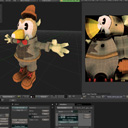
Admiral finally makes the time to back-post a higher quality rendered version of the Eyeguy model.
Toys From 2009 - Dinosaur 2 and The Heartbreak Kid
||
Admiral finally makes the time to back-post pictures of his first second and third toys: Dinosaur 2 and The Heartbreak Kid, from 2009
Toys From 2009 - Chantell's Dragon Pendant
||
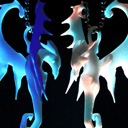
Admiral finally makes the time to back-post pictures of his first toys: Chantell's Dragon Pendant, from 2009
New piece: "When Suddenly, MUSHROOMS!!1!" Plus This Month's Scrap Roundup
||
All of the crap I managed to put together this month.
Nebula Galaxy! From 2007!
||
A few years ago, I made a pretty cool icon for an open source gaming project, with inspiration taken from the Super Mario Galaxy logo.
New Model Posted: Random Drop Guy
||
Uhh... yeah, that's about it. I posted a new 3D model. And a rendered turntable animation of a subsurf'd and displaced version.
Glowing Spyrograph Rainbows and a First Taste of England
||
Using Adobe After Effects is like crack for my eyes. Using the Echo filter, I created something wonderful.
Seymore Brews Packaging Photos from Craft Lake City 2010
||
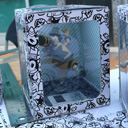
Posted some pictures of the new package design for -Trent's Devil Guy-
Seymore Brews Package for Craft Lake City
||
Finaly got around to starting a design for the packaging of -Trent's Devil Guy-
Admiral is so busy, it hurts! Also, TEN!!!
||
Admiral posts his 'Shade timelapse modeling' video, New pictures of 10 Trents Devil Guy toys, and announces his plans to move to England for a year.
"Trent's Devil Guy" toy finally arrives!!!
||
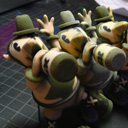
Lots and lots of photos of the -Trents Devil Guy- toy that is the result of a collaboration between Trent Call and Admiral Potato.
LAME 3.98.4 Universal for Mac OSX 10.5
||
I took the time to compile a new Super-Fat Universal Binary of the LAME 3.98.4 library for Mac OS X 10.5 PPC, PPC64, i386 and X86_64 architectures.
Nuclear Pixel 5 Space Background Wallpapers
||
Desktop Backgrounds and Wallpapers of the blue space background that I was the signature look for the design of Nuclear Pixel 5.
LAME 3.98.3 Universal for Mac OSX 10.5
||
I took the time to compile a Super-Fat Universal Binary of the LAME 3.98.3 library for Mac OS X 10.5 PPC, PPC64, i386 and X86_64 architectures.
DINOSAURS!!!! - Happy 26th Birthday, Admiral
||
HOLY CRAP! DINOSAURS ALL UP IN MY HOUSE! I was gifted TWO of the -Spike the Ultra Dinosaur- toys, one of which I plan on... enhancing... with an Arduino.
Trent's Devil Guy Model Finally in Beta!
||
After 5 months of delay, I finally finished and posted a 3D model from a character sheet provided to me by Trent Call. Many screenshots of the development.
Stellar Icons From Space! From 2005!
||
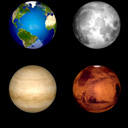
I made a batch of desktop icons of Earth, the Moon, Mars and Venus. I wrapped spheres with some planetary textures from NASA, then added shadows.
SubCritical App Icons
||
This was a set of application icons I created for an open source project called SubCritical, and its suite of associated documents.
Cool HTML5 CSS Absolute Center Trick
||
I had been trying to figure out how to center elements vertically on a page using only CSS properties. Safari 3 finally offered a solution.
New Picture-Rama 2 update finally on the way!
||
First update to Picture-Rama 2 in over 7 months, delayed by LOSS OF DATA DUE TO FAILURE OF WESTERN DIGITAL HARD DRIVES. Drive recovery cost me $2,400.
Radial Spike Design Shirts
||
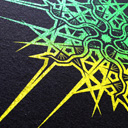
Cool radial spike designs screen printed in duo-tone inks on black shirts
Retro Portfolio Icon Roundup
||
Once upon a time, the year was 2004 and Admiral was 19 years old. This is a megapost of all of the old icons that he had created for a previous portfolio.
Dropping the Fail to begin with the Win
||
Admirals' first blog post in years, ranting and raving about how much he hates Internet Explorer.